How to configure machine health
To configure machine health, you firstly need to configure a virtual sensor which provides the following discrete values:
- 0 = machine off
- 1 = machine on
- 2 = operational problem
- 3 = connection problem. This comes from the gateway itself (usually Ewon / Ixon).
Once you have done this, open the Admin app and click on a machine.
You will then see the panel 'machine health', click this to open it (1.), and then click the more button (2.) and choose 'Add machine health sensor' (3.)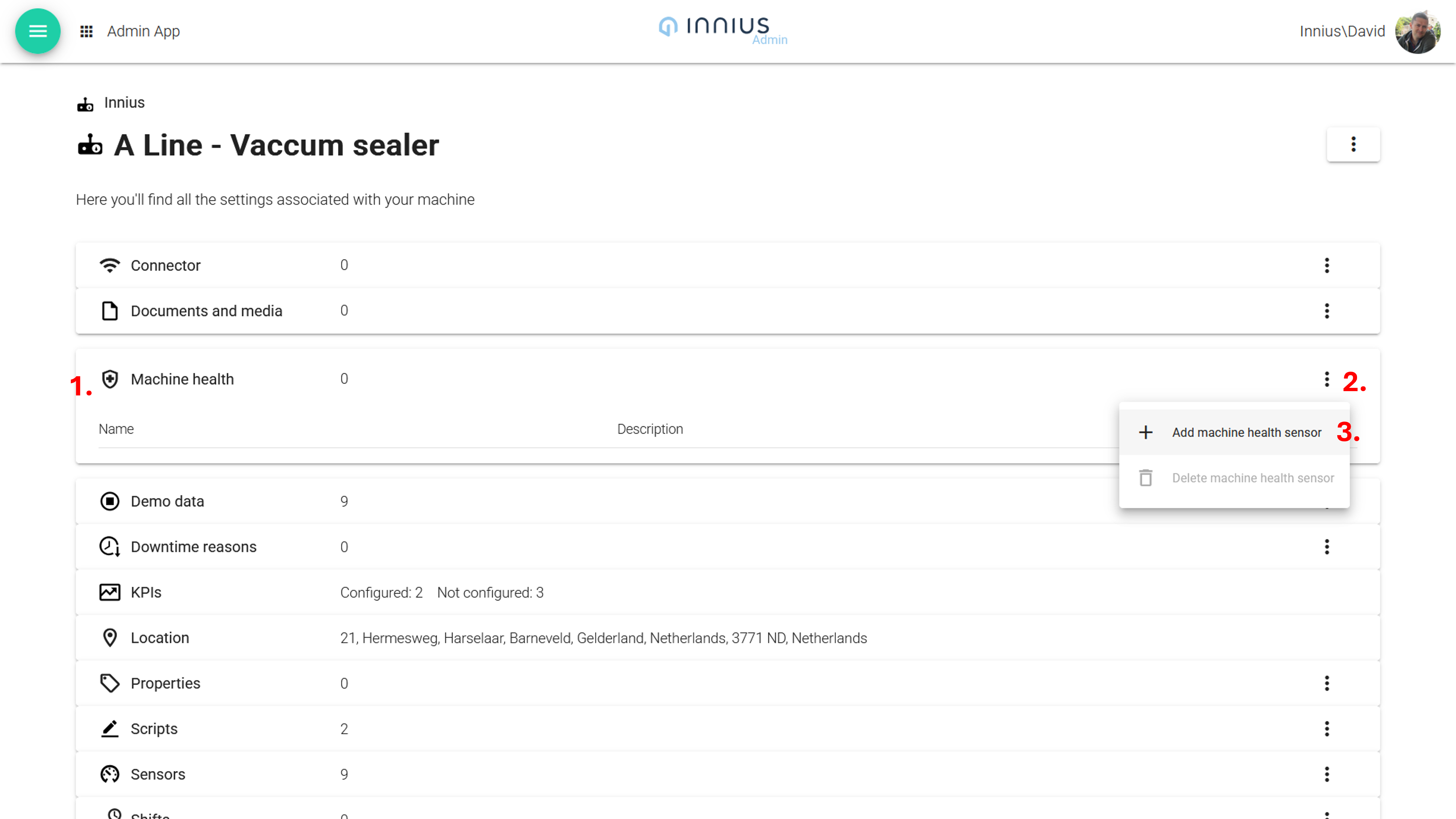
This opens the selection panel (4.) and you can now select the virtual sensor you have configured.